All KLU Publications
To play out all KLU publications, the content element “Plug-In” must first be selected. In the “Plug-In” tab, the “Citavilist” element must then be selected. The selection “View” can be neglected. Under “Import_key” the corresponding key must be inserted.
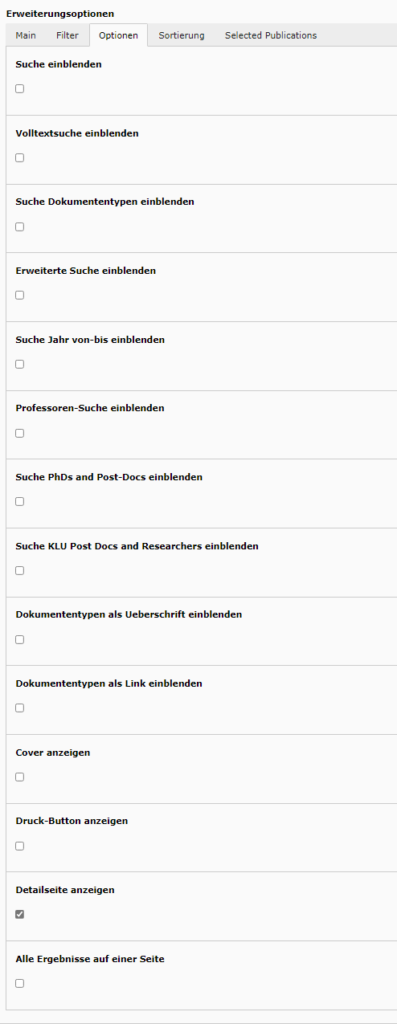
In the next step, the configuration shown below must be selected under the “Options” tab.
Under “Sorting” the “Number of results per page” should be set to 25.
After saving, the publications are available in the frontend.
Selected Publications
To play out selected publications, the “Plug-In” content element must first be selected. In the “Plug-In” tab, the “Citavilist” element must then be selected. The selection “View” can be neglected. Under “Import_key” the corresponding key must be inserted.
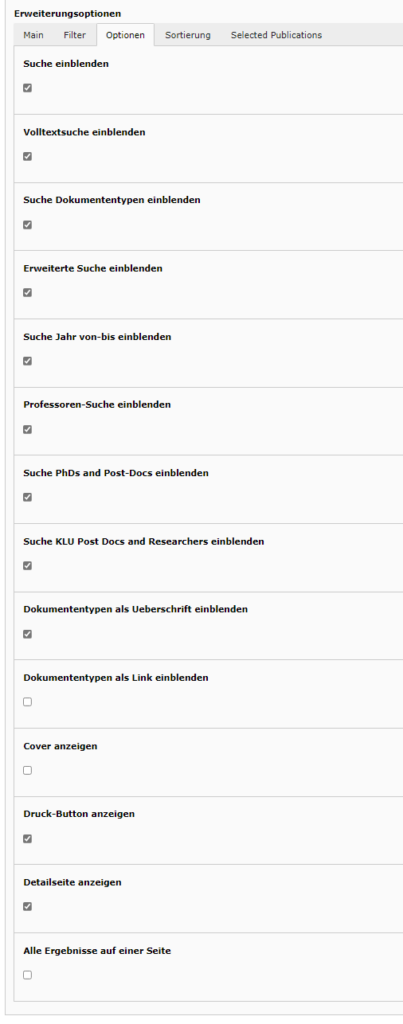
In the next step, the configuration shown below must be selected under the “Options” tab.
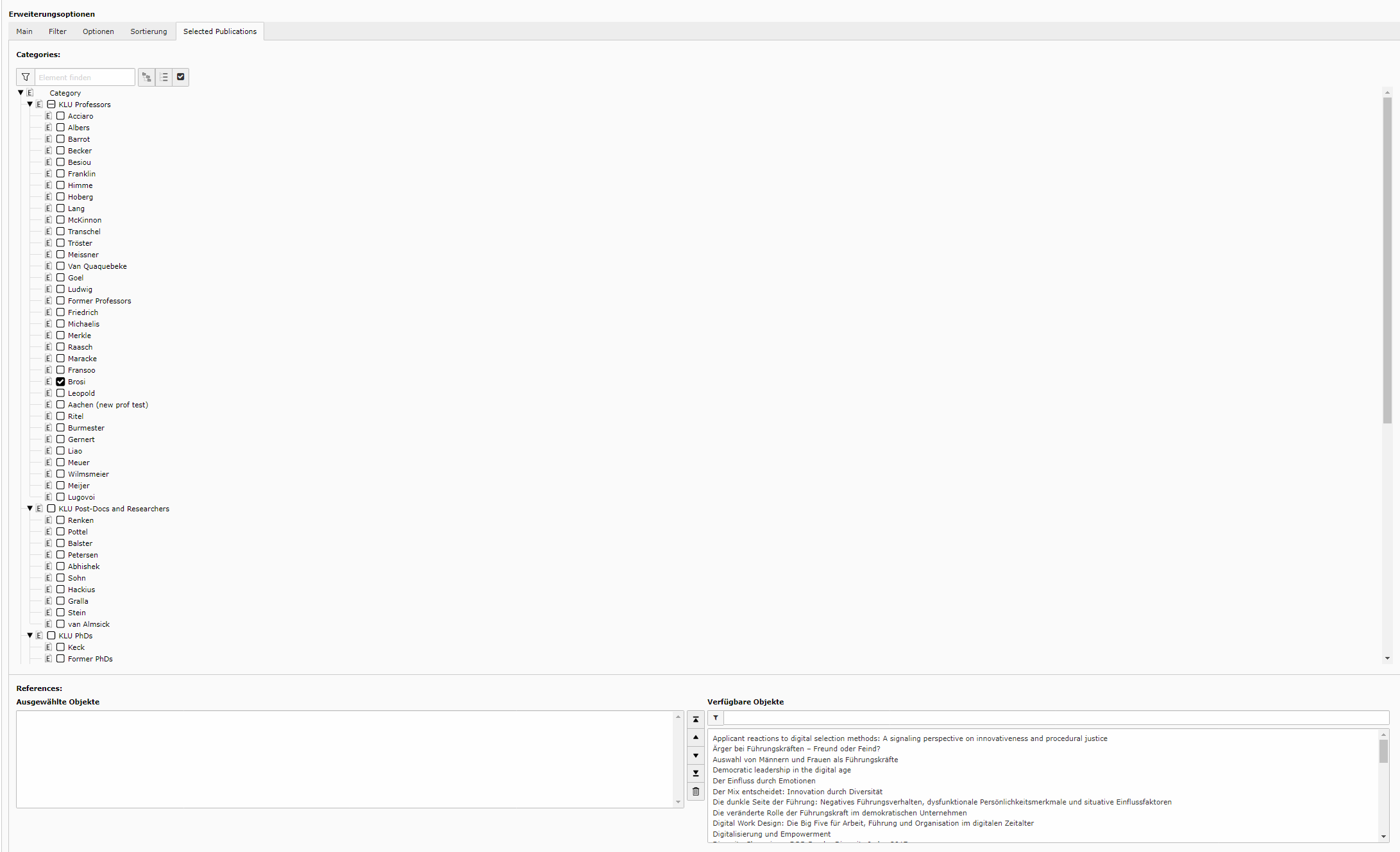
Under the tab “Selected Publications” the corresponding author has to be selected. The publications can then be selected manually at the bottom, as shown in the screenshot.
After saving, the publications are available in the frontend.