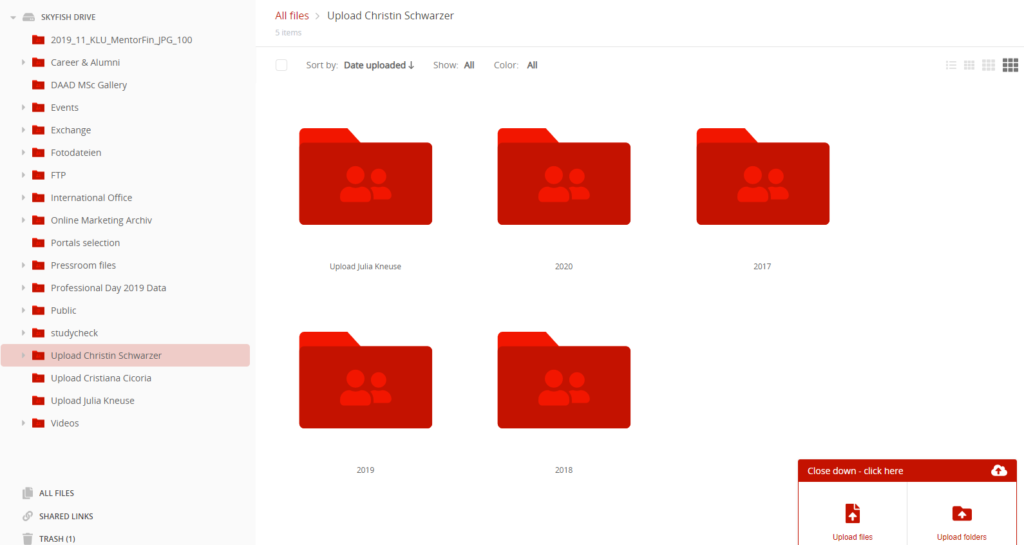
1. Download the picture(s) from Skyfish
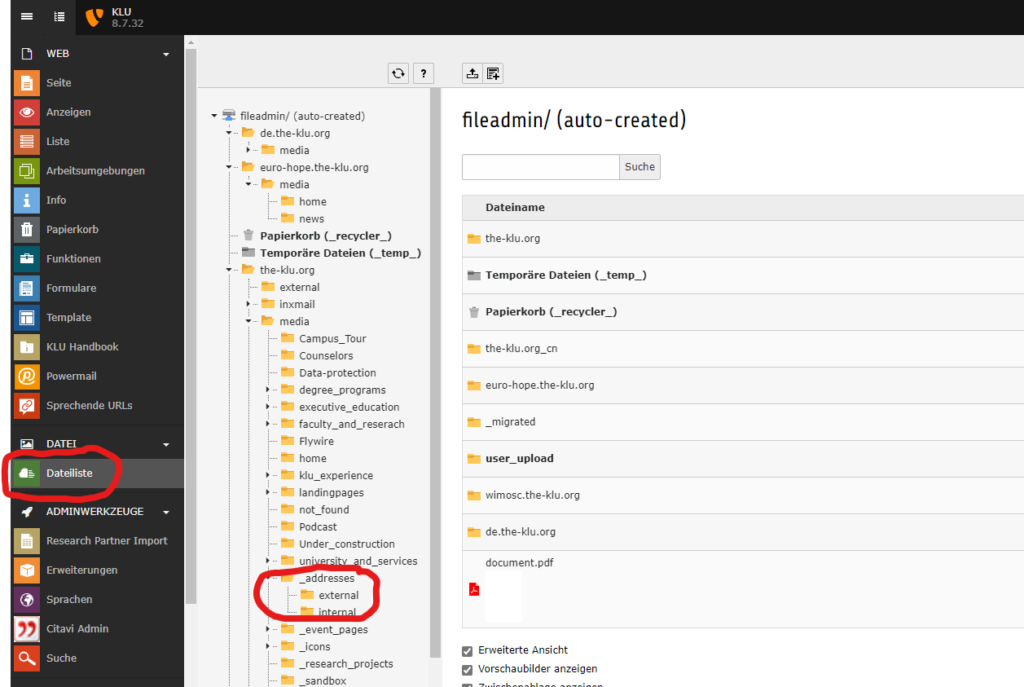
2. Log in to Typo3 and go to the File Server. There, choose addresses and then external or internal.
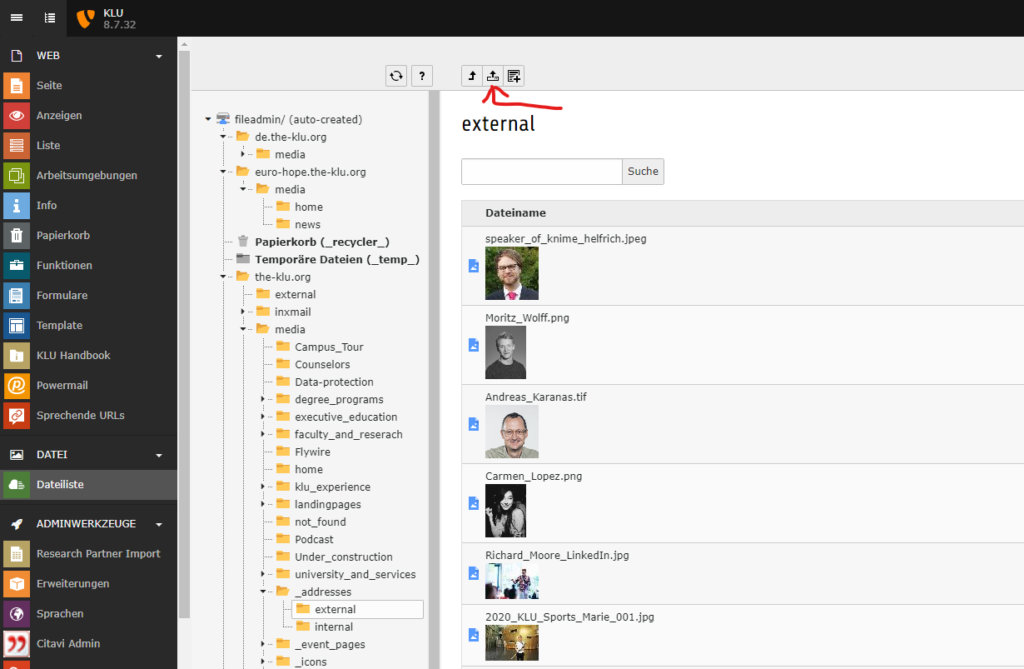
3. Here, klick on the little button in the upper left corner of the folder and upload the picture.
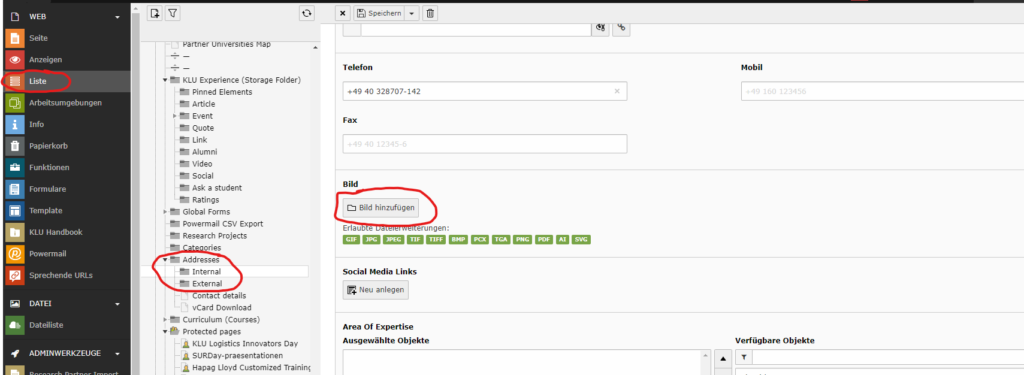
4. Now you can choose the picture in the contacts datasets of Typo3.