1. After uploading the picture, open the contact data set.
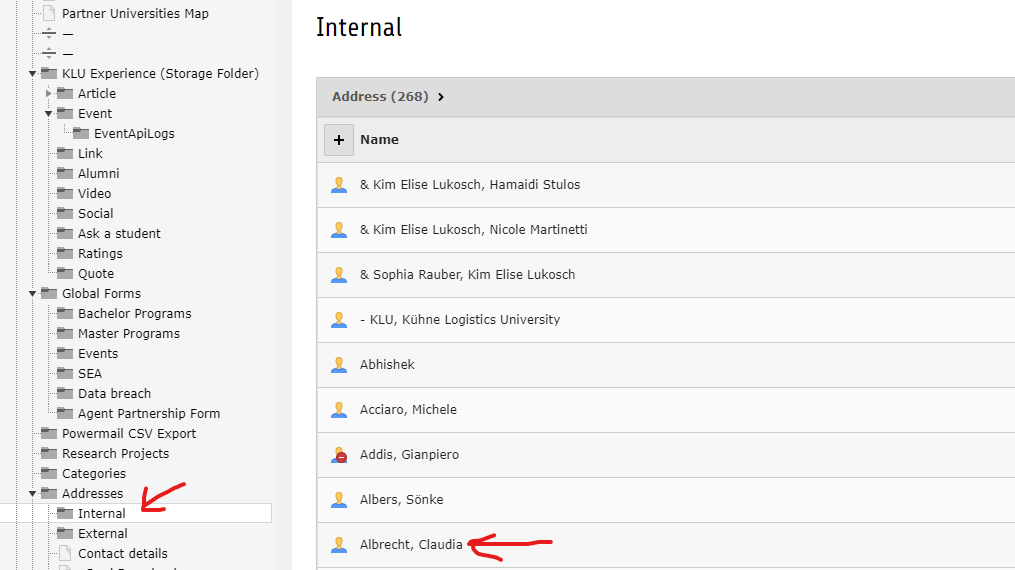
2. Under “Image” click on the small arrow to open the image settings.

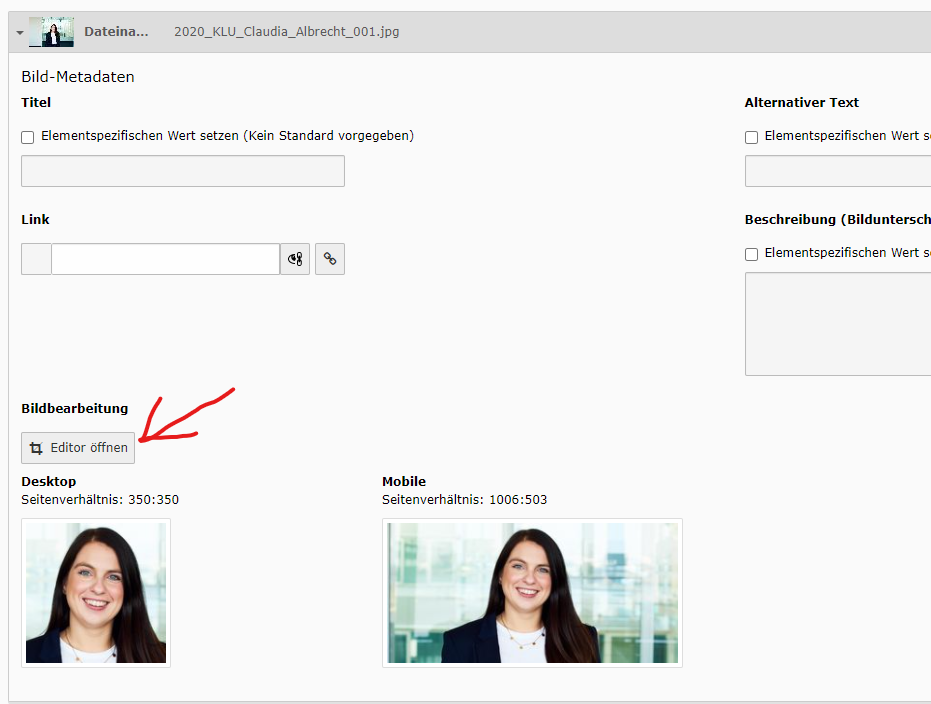
3. In the image settings klick on “Open editor”.
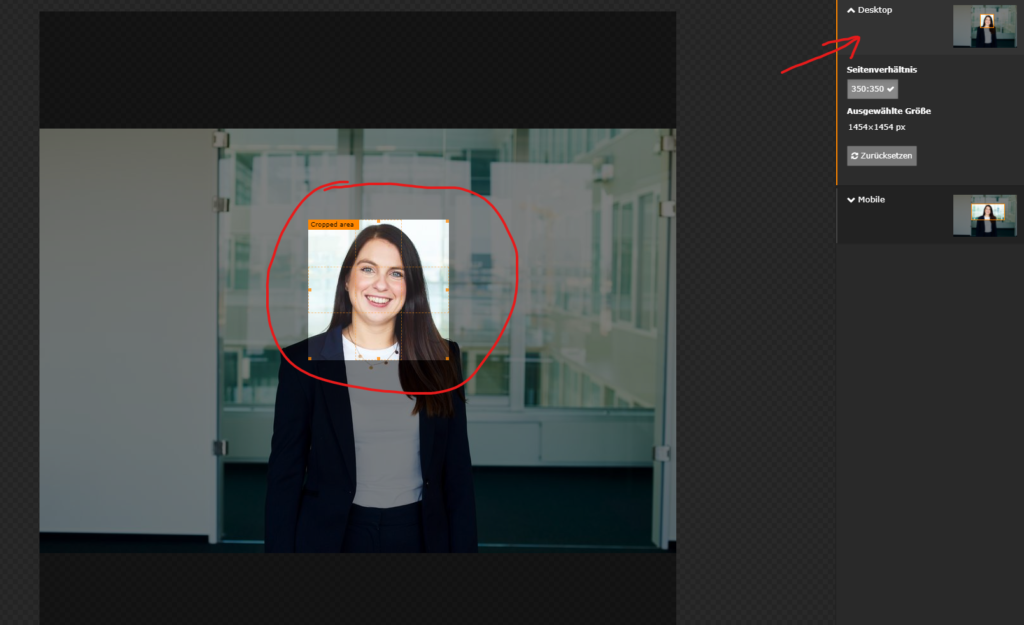
4. Choose the correct section for desktop, with a click on “Desktop”. The image should be cropped to resemble a passport photo.
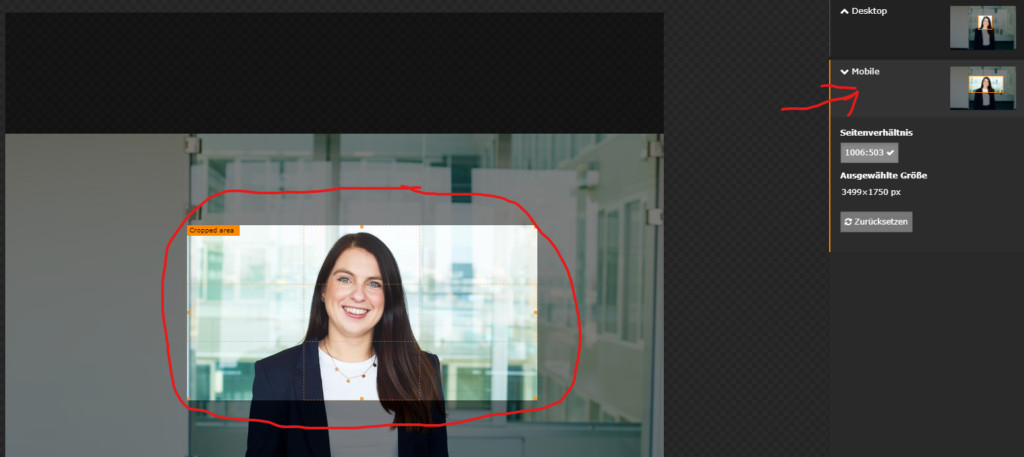
5. Choose the correct section for mobile devices, with a click on “Mobile”. Here, too, the image should be cropped to resemble a passport photo – except that the format is slightly wider. The head should be in the center of the image section.
6. Save your work with a click on “Accept”.
7. Save the contact data set.